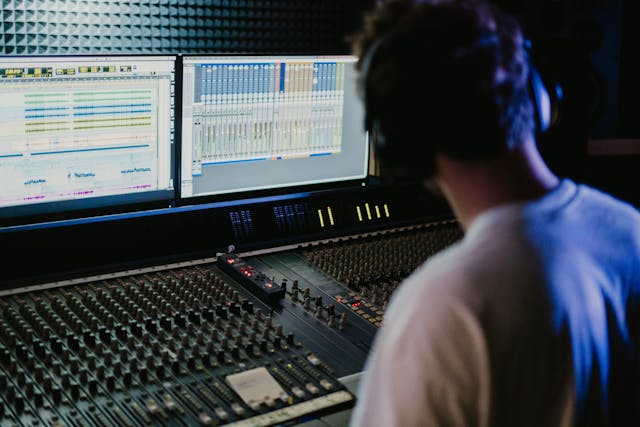
A Digital Audio Workstation (DAW) is the heart of digital music production, combining recording, editing, mixing, and mastering into a single environment. While different DAWs have unique workflows and visual designs, they all share a core set of features that make them powerful creative tools.
Understanding these features can help you choose the right DAW and work more efficiently and when it’s time to export your finished track, tools like WAVconverter.com make sure your audio is in the right format for sharing or mastering.
1. Multitrack Recording
The ability to record multiple audio sources at once such as vocals, guitars, drums is central to any DAW. Each sound is captured on its own track, giving you full control over levels, timing, and effects.
Modern DAWs support dozens (or even hundreds) of simultaneous tracks, limited only by your computer’s processing power.
2. MIDI Sequencing
DAWs don’t just handle live recordings; they also manage MIDI (Musical Instrument Digital Interface). MIDI data represents musical notes and timing, allowing you to control virtual instruments and synthesizers.
You can program drums, melodies, or orchestral arrangements, then fine-tune every detail with precision.
3. Editing Tools
One of the biggest advantages of digital production is non-destructive editing. You can trim, move, fade, stretch, and align clips without altering the original recording.
Features like “quantization” correct timing issues automatically, while pitch correction tools help fine-tune vocals.
4. Mixing Console
The mixing section in a DAW mimics an analog studio console. Here, you can adjust track volume, panning, and effects to achieve balance. DAWs let you add EQ, compression, reverb, and more via built-in processors or third-party plugins.
5. Automation
Automation allows you to program changes in volume, pan, or effects over time. For instance, a song might gradually fade out, or a reverb might increase only during the chorus and this can all be handled automatically.
6. Plugin Support
DAWs are highly expandable through VST, AU, or AAX plugins. These add instruments, effects, and processing tools beyond what comes built in. Plugins turn a DAW into an endless sound design playground.
7. File Export and Format Support
Once your mix is ready, exporting the final product is simple. Most DAWs let you bounce to multiple file types like WAV, AIFF, or MP3.
For artists who need different formats for streaming, mastering, or sharing, WAVconverter.com helps convert between file types while preserving audio quality.
8. User Interface and Workflow Customization
Each DAW has a unique layout, but most let users customize color schemes, shortcuts, and window arrangements. A smooth, organized interface keeps the creative process efficient and enjoyable.
Conclusion
From multitrack recording to mixing and exporting, the features of a DAW form the foundation of digital music creation. Whether you’re producing a podcast or composing a film score, mastering these tools unlocks your creative potential.