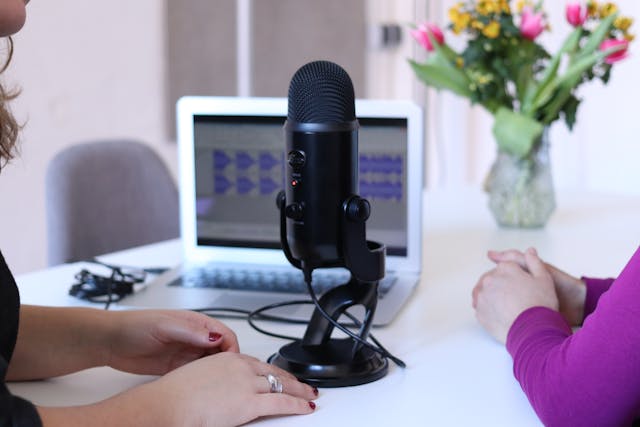
When you record a voice over or an audiobook, choosing the right audio format can make or break the final product. This is not only about how your voice sounds but also about clarity, compatibility, and how well the audio performs across devices and platforms. The right format ensures your voice sounds natural and professional, without unnecessary noise or compression artifacts.
But with so many audio formats like WAV, MP3, FLAC, AAC, and others, how do you know which one to choose? Let’s break it down in simple terms and find out which format is best for your project.
Understanding Audio Formats: The Basics
An audio format is essentially the “container” that holds your recorded sound data. Each format stores that data differently, which affects file size, sound quality, and how easily it can be shared or edited.
Audio formats generally fall into two main categories:
-
Lossless formats: These preserve all the original sound data (e.g., WAV, FLAC). They give you full quality but large file sizes.
-
Lossy formats: These compress the sound by removing some data (e.g., MP3, AAC). They’re smaller and easier to distribute but lose a bit of detail.
When recording a voice over or audiobook, you’ll usually start with a lossless format during recording and editing, and then convert to a compressed format for distribution using an audio file conversion tool like WAVconverter.com
2. The Professional Standard: WAV Format
If you’re serious about sound quality, WAV (Waveform Audio File Format) is the industry standard for recording and editing voice overs and audiobooks.
WAV files are uncompressed and lossless, meaning they capture every nuance of your performance exactly as recorded. They’re widely compatible with audio editing software like Audacity, Adobe Audition, Pro Tools, and Logic Pro.
Pros:
-
Crystal-clear, studio-quality sound.
-
Perfect for editing, mastering, and applying effects.
-
Universally supported across platforms.
Cons:
-
Large file size (a few minutes of audio can take up hundreds of megabytes).
-
Not ideal for uploading or distributing to listeners directly.
Best Use: Recording, editing, and mastering your voice overs or audiobook chapters before final export.
The Distribution Hero: MP3 Format
Once your recording is polished and ready to share, you’ll likely export it as an MP3.
MP3 is a lossy format, meaning it compresses the file size by removing sounds the human ear can’t easily detect. This makes it much smaller and perfect for uploading, streaming, or sending to clients.
Pros:
-
Compact file size with decent quality.
-
Universally compatible with nearly every device.
-
Ideal for distribution and final delivery.
Cons:
-
Some loss of audio detail, especially at lower bitrates.
-
Not suitable for further editing (once compressed, lost data can’t be recovered).
When exporting MP3s for voice-based content, choose a bitrate of 192 kbps or higher. For audiobooks, 192 kbps (stereo) or 128 kbps (mono) is typically recommended—depending on whether you’re recording with stereo or mono setup.
Best Use: Final delivery of your voice over or audiobook for playback and distribution.
FLAC: The Middle Ground
If you want the sound quality of WAV but smaller file sizes, FLAC (Free Lossless Audio Codec) is a great option. It compresses files without losing quality like a ZIP file for sound.
Pros:
-
Same quality as WAV but roughly half the size.
-
Lossless compression, therefore no data is lost.
-
Open-source and widely supported by modern players.
Cons:
-
Not universally compatible with all platforms (some audiobook distributors prefer MP3 or M4B).
-
Slightly slower to process than WAV.
Best Use: Archiving or submitting lossless masters to clients or publishers that support FLAC.
AAC and M4B: The Audiobook-Specific Formats
While MP3 and WAV dominate the voice over world, AAC (Advanced Audio Codec) and M4B formats are common in the audiobook industry, especially for retail platforms like Apple Books and Audible.
AAC offers better sound than MP3 at the same bitrate, thanks to more efficient compression. M4B is essentially an AAC file designed for audiobooks, it supports chapter markers, bookmarks, and metadata (like author and title info).
Pros:
-
High-quality compression and efficient file size.
-
M4B supports chapters and metadata—ideal for long books.
-
Great compatibility with audiobook platforms.
Cons:
-
Not as editable as WAV.
-
Slightly less universal than MP3.
Best Use: Publishing your finished audiobook for listeners through Audible, iTunes, or similar platforms.
Mono vs. Stereo: Which Should You Use?
For most voice overs and audiobooks, mono (single audio channel) is the way to go. It keeps your voice centered and saves file space. Stereo is only useful if you have music, ambient sound, or complex sound design.
If you’re recording just your voice, mono at 44.1 kHz sample rate and 16-bit depth is the professional standard. If you’re creating a highly produced audiobook with background elements, stereo may be worth considering—but it’s not necessary for pure narration.
Recommended Setup for Voice Overs and Audiobooks
This table summarizes the ideal setup:
| Stage | Format | Bit Depth / Bitrate | Use Case |
|---|---|---|---|
| Recording | WAV | 24-bit, 48 kHz | Studio recording and editing |
| Mastering | WAV / FLAC | 16-bit, 44.1 kHz | Final master |
| Distribution | MP3 / M4B | 128–192 kbps | Delivery or upload |
The Final Verdict
So, what’s the best audio format for a voice over or audiobook?
-
For recording and editing: WAV is unbeatable.
-
For mastering and archiving: FLAC keeps quality intact with smaller files.
-
For distribution: MP3 or M4B are the top choices, depending on where you’re publishing.
Think of it like photography. WAV is your RAW file, FLAC is your lossless backup, and MP3/M4B is your polished, ready-to-share version.
By choosing the right format for each stage, you’ll preserve your voice’s clarity, keep editing smooth, and ensure your listeners get the best possible experience, no matter where they press play.